


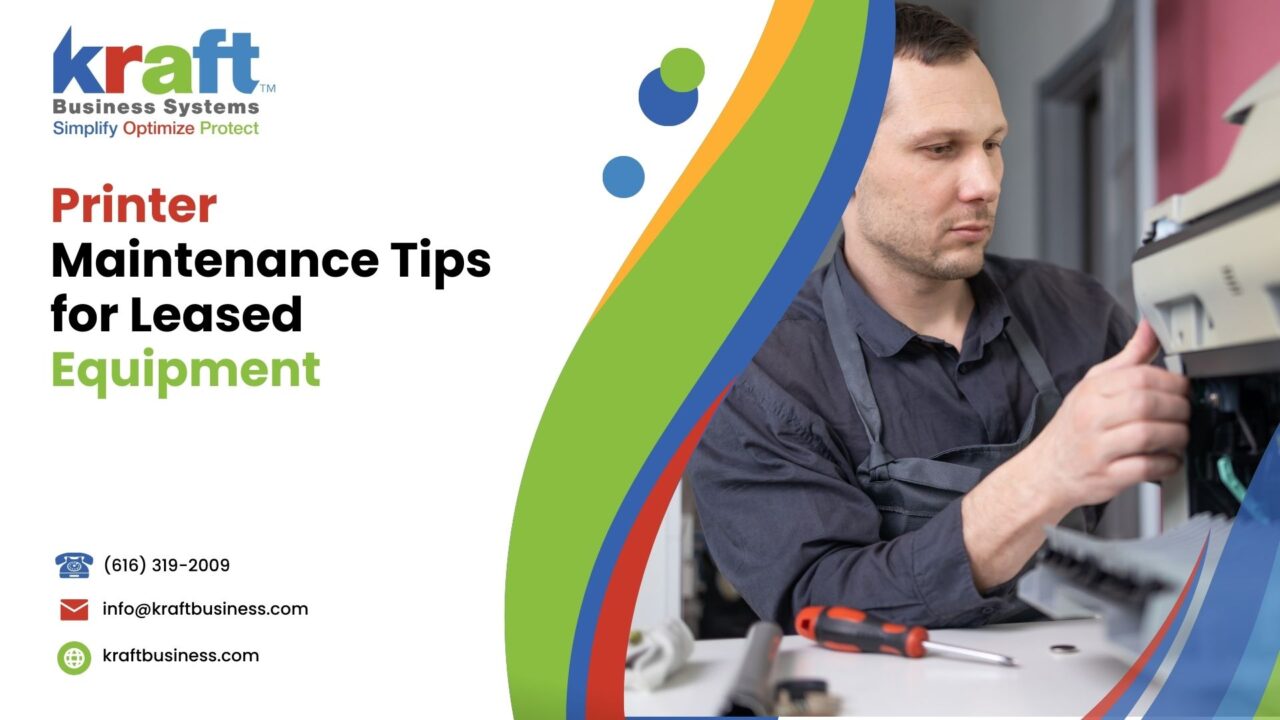
Proper maintenance on leased printers protects your lease agreement, cuts repair costs by up to 30%, and keeps your Michigan office running without disruption. Focus on daily cleaning routines, genuine OEM supplies, firmware updates, and scheduled professional servicing to extend equipment life and avoid costly penalties at lease end.
Why Printer Maintenance Is Non-Negotiable for Leased Equipment
Leasing a printer or copier makes financial sense for most Michigan businesses. You get access to high-performance equipment without a massive upfront purchase. But here is the catch: your lease agreement almost certainly includes maintenance clauses. Ignore them, and you could face penalties, unexpected fees, or even the full replacement cost of the equipment.
Think of it like leasing a car. You would not skip oil changes for three years and then hand the keys back, right? The same logic applies to your office printer. Regular upkeep keeps the machine performing at its best and protects you from financial surprises when the lease term ends.
And the stakes are higher than most people realize. According to Gartner, businesses typically waste 1% to 3% of their annual revenue on unmanaged printing costs. For a mid-sized Grand Rapids company doing $5 million in revenue, even 1% translates to $50,000 per year in avoidable printing expenses.
The Real Cost of Skipping Printer Maintenance
What happens when maintenance falls through the cracks? The numbers tell a painful story.
Reactive repairs (fixing things after they break) cost three to five times more than preventive maintenance. A clogged print head or worn fuser assembly might cost $50 to clean or replace during a scheduled visit. But if that same issue causes a breakdown during a critical print run? You are looking at emergency service calls, rush-ordered parts, and lost productivity.
Printer downtime also ripples across your entire office. When the main copier goes down in a busy law firm or medical office, staff members waste time walking to backup machines, reformatting print jobs, or simply waiting. Small businesses face downtime costs starting at $427 per minute on average, according to industry research from ITIC. Even if your printer downtime only lasts two hours per month, the lost productivity adds up fast over a 36- or 60-month lease.
So the question is not whether you can afford to maintain your leased printer. The question is whether you can afford not to.
Daily and Weekly Printer Maintenance Tips
Consistent small habits prevent big problems. Here is a practical routine any office team can follow:
Daily Tasks (2 Minutes)
- Check paper trays for proper alignment and correct paper size; misaligned trays cause 60% of paper jams
- Wipe down the scanner glass and document feeder with a lint-free cloth (fingerprints degrade scan quality over time)
- Verify toner and ink levels through the printer’s control panel or web interface
- Clear the output tray so finished prints do not stack up and jam the exit rollers
Weekly Tasks (10-15 Minutes)
- Run the printer’s built-in cleaning cycle for print heads and nozzles
- Inspect the paper feed rollers for dust buildup or wear marks; clean with a damp, lint-free cloth
- Check the waste toner container and empty it if the indicator shows 75% or more
- Blow compressed air around the paper path and ventilation areas to remove dust and debris
- Print a test page to check for streaks, fading, or alignment issues
These simple steps take almost no time. Yet they catch small issues before those issues become service calls. Kraft Business Systems recommends posting a quick maintenance checklist near each leased printer so every team member knows what to look for.
Monthly and Quarterly Maintenance Checklist
Beyond daily habits, some maintenance tasks require a deeper level of attention. Schedule these into your office calendar so they never get overlooked.
Monthly Tasks
- Deep-clean the interior using compressed air and a vacuum designed for toner particles (regular vacuums can spread fine toner dust)
- Inspect and clean the corona wire or charge roller, which directly affects print quality
- Check all cable connections and network settings to ensure stable connectivity
- Review print usage reports to identify unusual spikes or patterns (a sudden increase in color printing could signal unauthorized use)
- Update printer firmware if a new version is available from the manufacturer
Quarterly Tasks
- Replace the separation pad and pickup rollers if the printer shows frequent multi-feeds or jams
- Calibrate color output using the printer’s built-in calibration tool
- Test all finishing options (stapling, hole punching, duplex) to confirm they work correctly
- Audit user access settings and update permissions for any staff changes
- Schedule a professional service visit if your lease agreement includes one
Keeping a maintenance log is smart practice, especially with leased equipment. Document every cleaning, part replacement, and service visit. If a dispute ever arises with the leasing company at the end of your term, a detailed log proves you upheld your obligations.
Using the Right Supplies: OEM vs. Third-Party Consumables
This is one area where cutting corners can cost you significantly. Most lease agreements explicitly require OEM (Original Equipment Manufacturer) toner, ink, and parts. Use a cheap third-party cartridge, and you might void your maintenance coverage or even breach the lease.
Why does it matter so much? OEM consumables are engineered specifically for your printer model. They deliver consistent print quality, produce the rated page yield, and protect internal components from damage. Third-party cartridges can leak toner, clog print heads, or produce inconsistent output, all of which accelerate wear on expensive internal parts.
| Factor | OEM Consumables | Third-Party Consumables |
|---|---|---|
| Print Quality | Consistent, manufacturer-guaranteed | Variable; may show streaks or fading |
| Page Yield | Rated and reliable | Often 15-25% lower than advertised |
| Lease Compliance | Fully compliant | May void coverage or breach terms |
| Equipment Safety | Designed for exact model specs | Risk of leaks, clogs, and component damage |
| Cost Per Page (Long-term) | $0.009 – $0.025 (B&W) | $0.006 – $0.015 (B&W) but hidden repair costs |
| Warranty Impact | Warranty and lease protected | Can void manufacturer warranty |
The upfront savings from third-party cartridges typically range from 30% to 50%. But when you factor in lower page yields, potential service calls, and the risk of lease penalties, OEM supplies almost always cost less over the full lease term. Our team includes genuine OEM supplies in every managed print service agreement, so clients never have to worry about this trade-off.
Preventive Maintenance vs. Reactive Repairs: A Cost Comparison
One of the biggest mistakes businesses make with leased equipment is treating maintenance as optional. They wait until something breaks, then scramble to fix it. This reactive approach is almost always more expensive.
| Approach | Preventive Maintenance | Reactive Repairs |
|---|---|---|
| Average Annual Cost | $300 – $600 per device | $900 – $2,400+ per device |
| Downtime Per Incident | Minimal (scheduled visits) | 4-48 hours (waiting for parts & service) |
| Print Quality | Consistently high | Degrades gradually until failure |
| Lease Compliance | Fully protected | Risk of penalties or excess charges |
| Equipment Lifespan | Maximized (meets or exceeds lease term) | Shortened by 2-3 years on average |
| Staff Productivity | Uninterrupted workflow | Lost hours during breakdowns |
Here is a real-world example. A West Michigan accounting firm with five leased multifunction printers switched from reactive service to a preventive maintenance plan. In the first year, they reduced service calls by 68% and cut their per-device repair costs from $1,800 to under $500. Their staff also reported fewer paper jams and better print quality across the board.
Preventive maintenance is especially critical during tax season, enrollment periods, or any high-volume printing cycle. A breakdown at peak demand does not just cost money; it disrupts your entire operation.
For Michigan businesses running seasonal spikes (think CPA firms in April, school districts in August, or healthcare providers during open enrollment), the math is clear. One unplanned breakdown during your busiest week can cost more than an entire year of preventive service. Planning ahead with scheduled visits keeps your leased equipment reliable exactly when you need it most.
Firmware Updates and Printer Security
Most people think of printers as simple output devices. But modern multifunction printers are networked computers with hard drives, operating systems, and firmware. And like any networked device, they are potential entry points for cyberattacks.
In 2025, the Cybersecurity and Infrastructure Security Agency (CISA) flagged unpatched network printers as one of the top 10 overlooked attack vectors in small and mid-sized businesses. Attackers can exploit outdated firmware to gain access to stored documents, intercept print jobs, or pivot into your broader network.
What should you do?
- Enable automatic firmware updates when your printer manufacturer offers them
- Change the default admin password on every networked printer (a shocking number of offices skip this step)
- Enable encrypted printing so sensitive documents require a PIN or badge tap at the device
- Disable unused protocols like FTP, Telnet, and SNMPv1 to reduce your attack surface
- Review the printer’s hard drive encryption settings, especially before returning leased equipment
When your lease ends, the printer goes back to the leasing company. If the hard drive contains unencrypted copies of confidential patient records, financial statements, or legal documents, you have a serious data breach risk. Kraft Business Systems helps Michigan businesses implement secure print policies and data-wipe protocols as part of our managed IT services.
Eco-Friendly Printer Maintenance for Michigan Businesses
Sustainability matters to Michigan businesses and their customers. Good printer maintenance supports your environmental goals in several practical ways.
Well-maintained printers use less energy. A printer with clean rollers, calibrated settings, and properly seated toner cartridges draws less power per page than a neglected machine running in constant error-recovery mode. Managed print programs typically reduce energy consumption by 30%, according to industry data.
- Set duplex (two-sided) printing as the default across all networked printers to cut paper use by up to 50%
- Use the printer’s toner-save or eco mode for internal documents and drafts
- Recycle used toner cartridges through your manufacturer’s take-back program (most major brands offer free shipping)
- Schedule print jobs during off-peak energy hours when possible
- Right-size your printer fleet; maintaining fewer, higher-capacity devices is greener than running many smaller ones
For Grand Rapids and West Michigan businesses pursuing green certifications or sustainability commitments, documenting your managed print practices can contribute to your environmental reporting.
Preparing Your Leased Printer for Return
The last three to six months of your lease are critical. How you prepare the equipment for return determines whether you walk away clean or face surprise charges.
Start by reviewing your lease agreement carefully. Most agreements specify the condition the equipment must be in upon return. Common requirements include:
- All components in working order (no broken trays, missing covers, or non-functional features)
- Original accessories returned (finisher, extra paper trays, stapler unit)
- Hard drive wiped or removed according to data security protocols
- No unauthorized modifications or third-party parts installed
- Maintenance log or service records available for review
Schedule a final professional service visit at least 30 days before the return date. This gives your provider time to address any issues and document the equipment’s condition. If something needs repair, it is far cheaper to fix it proactively than to pay the leasing company’s repair surcharge after the fact.
Also, start planning your next lease or purchase early. The worst position is scrambling to find replacement equipment after your lease expires. Our team works with businesses across Michigan, from Traverse City to Detroit, to plan seamless equipment transitions with zero downtime.
How Managed Print Services Simplify Maintenance
If keeping up with all these maintenance tasks sounds overwhelming, you are not alone. Most small and mid-sized businesses do not have dedicated staff for printer management. And that is exactly where managed print services (MPS) come in.
With MPS, your provider handles everything: proactive maintenance, automatic toner replenishment, firmware updates, service calls, and fleet optimization. You pay a predictable monthly fee (or per-page rate), and your provider ensures every device runs at peak performance.
The National Institute of Standards and Technology (NIST) recommends including printers in your organization’s asset management and patch management programs, something most businesses overlook without an MPS partner.
What does MPS typically include?
- Proactive monitoring with automatic alerts when toner runs low or a component needs attention
- Scheduled preventive maintenance visits (monthly or quarterly depending on volume)
- Genuine OEM supplies delivered before you run out
- 24/7 help desk support for troubleshooting and service requests
- Detailed reporting on print volume, costs per page, and device utilization
- Security management including firmware updates and access controls
For Michigan businesses leasing multiple devices, MPS eliminates the guesswork and ensures every machine meets lease maintenance requirements automatically.
The global managed print services market reached $43 billion in 2026, according to Business Research Insights. That growth reflects a clear trend: businesses of all sizes are moving away from self-managed printing. The cost predictability, reduced downtime, and improved security make MPS a natural fit alongside printer leasing.
How Kraft Business Systems Helps Michigan Businesses
Kraft Business Systems has served West Michigan businesses since 2005, providing managed print services, IT support, cybersecurity, and office equipment solutions. Here is how we help with leased printer maintenance specifically:
Proactive Service
We monitor your fleet remotely and dispatch technicians before problems cause downtime.
Auto Toner Delivery
Genuine OEM toner ships automatically when levels drop, so you never run out mid-job.
Security Management
Firmware patches, encrypted printing, and hard drive wipes protect your sensitive data.
Usage Analytics
Detailed reports reveal which devices are overused, underused, or costing too much per page.
Green Optimization
We configure duplex defaults, eco modes, and fleet right-sizing to reduce waste and energy use.
Lease-End Support
We handle equipment preparation, data wiping, and transition planning when your lease expires.
Frequently Asked Questions About Printer Maintenance for Leased Equipment
How often should I clean my leased printer?
Wipe down the scanner glass and clear output trays daily. Run the built-in cleaning cycle weekly. Schedule a deep interior cleaning monthly, and book a professional service visit quarterly or as specified in your lease agreement.
Can I use third-party toner in a leased printer?
Most lease agreements require OEM consumables. Using third-party toner can void your maintenance coverage, breach your lease terms, and potentially damage internal components. Always check your lease agreement before switching from OEM supplies.
What happens if I do not maintain my leased printer?
You could face penalties at lease end, including charges for excessive wear, damaged components, or early lease termination fees. Poor maintenance also leads to more frequent breakdowns, higher repair costs, and reduced print quality during the lease term.
How much does printer maintenance cost per year?
Preventive maintenance for a standard office multifunction printer typically costs between $300 and $600 per year. Reactive repairs, by contrast, can run $900 to $2,400 or more annually per device. Many managed print service plans include maintenance in the per-page rate.
Should I update my printer’s firmware regularly?
Yes. Firmware updates fix security vulnerabilities, improve performance, and add new features. CISA has flagged unpatched printers as a common attack vector for small businesses. Check for updates monthly or enable automatic updates if your printer supports them.
What is the difference between managed print services and a standard printer lease?
A standard lease provides the equipment and may include basic maintenance. Managed print services go further by adding proactive monitoring, automatic supply replenishment, security management, usage reporting, and fleet optimization. MPS transforms printing from a cost center into a managed, predictable expense.
How do I prepare my leased printer for return at the end of the lease?
Review your lease agreement for return conditions. Schedule a professional service visit 30 days before return. Ensure the hard drive is securely wiped, all original accessories are present, and the machine is in good working order. Keep your maintenance log as proof of proper upkeep.
Do paper jams damage leased printers?
Occasional paper jams are normal and do not cause lasting damage if cleared properly. Pull the paper out slowly and gently in the direction of the paper path. Frequent jams, however, signal a maintenance issue (worn rollers, misaligned trays, or incorrect paper stock) and should be addressed promptly to prevent component wear.
How can I reduce printing costs on a leased machine?
Set duplex printing as the default to cut paper use by up to 50%. Use draft or eco mode for internal documents. Monitor per-department print volumes and set quotas if needed. Review your monthly usage reports to identify waste. Managed print services typically reduce total printing costs by 20% to 30%.
Is printer security really a concern for small businesses in Michigan?
Absolutely. Networked printers store copies of every document they process. Without proper security (encrypted printing, access controls, firmware updates, and end-of-lease data wipes), printers can become entry points for data breaches. Michigan businesses handling healthcare, financial, or legal data face additional compliance risks under HIPAA, PCI-DSS, and state privacy laws.
What printer brands does Kraft Business Systems service?
We service all major commercial printer and copier brands including Kyocera, Konica Minolta, and other leading manufacturers. Our technicians are factory-trained and certified. Contact us at (616) 800-7682 for service on your specific equipment.
Can managed print services help me meet my lease maintenance requirements?
Yes. A managed print provider handles all routine and preventive maintenance on your behalf, ensuring full compliance with your lease agreement. We also maintain detailed service records you can present to your leasing company at lease end.
Keep Your Leased Printers Running at Peak Performance
From proactive maintenance and automatic toner delivery to security management and lease-end support, Our team takes the hassle out of managing your leased office equipment. Serving Grand Rapids, West Michigan, Traverse City, Detroit, and beyond.
Call (616) 800-7682
GET A FREE IT & CYBERSECURITY ASSESSMENT
Krafting Secure and Innovative IT Solutions for Your Business
6980 Southbelt Drive, Suite 1, Caledonia, MI 49316