
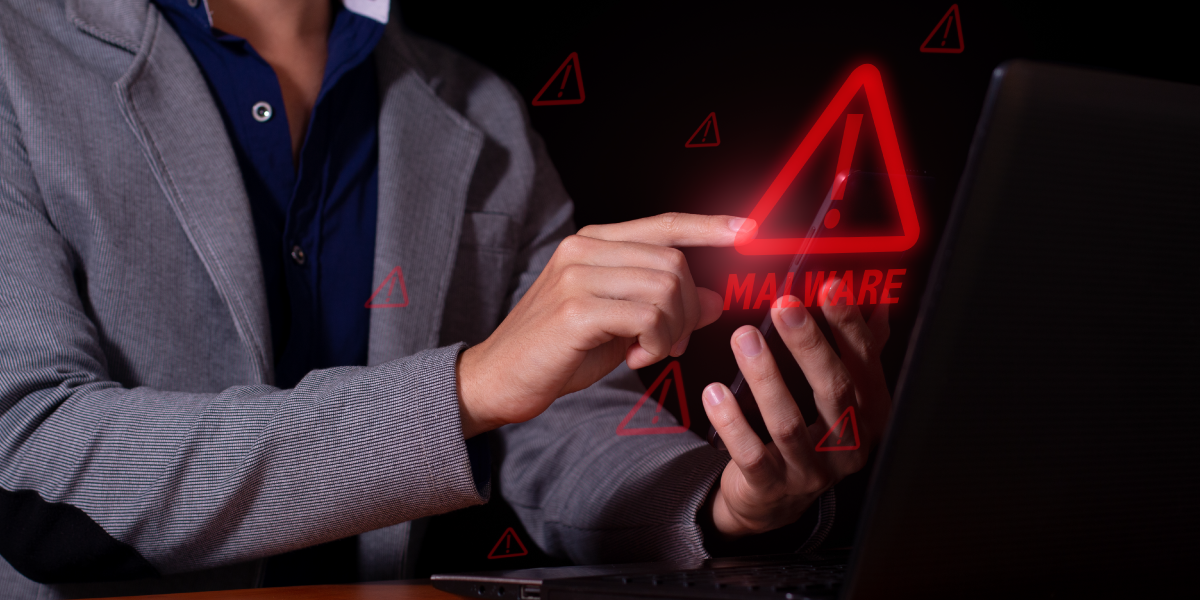
Quick answer: The most common types of malware are viruses, trojans, ransomware, spyware, adware, malvertising, worms, keyloggers, botnets, rootkits, fileless malware, and pharming. Each one infects, spies on, or hijacks your systems in a different way. Knowing how they behave is the first step toward stopping them, and Kraft Business Systems helps Michigan companies block these threats before they cause damage.
What Is Malware?
Malware is any software built to harm a computer, a network, or the people who use it. The word is short for “malicious software.” It covers viruses, ransomware, spyware, and many other digital threats. Some malware steals data quietly. Other strains lock your files and demand money. A few turn your machines into tools for attacking other companies.
Why does this matter for a business in Grand Rapids or Detroit? Because attackers rarely care how big you are. They look for an open door. A single infected laptop can spread across a whole office network in minutes. And once malware takes hold, cleanup costs far more than prevention ever would.
Reported figures from industry researchers suggest roughly 80% of small businesses faced at least one cyberattack during 2025 (figure attributed to small business security reports; you should verify against the primary source before quoting). The threat is broad, and it keeps shifting. So let us walk through the twelve types you are most likely to meet.
The 12 Types of Malware Every Michigan Business Should Know
Below are the twelve categories security teams track most often. Some overlap. A single attack might use two or three at once. Still, sorting them this way makes each threat easier to spot and easier to explain to your staff.
1. Viruses
A virus attaches itself to a clean file and waits. When someone opens the file, the virus runs and copies itself into other files. It can corrupt data, slow machines, or wipe drives. Viruses need a human action to spread, like opening an email attachment.
2. Trojans
A trojan hides inside something that looks safe, like a free game, a cracked app, or a fake invoice. Once installed, it opens a back door for attackers. Trojans are the most common malware type by detection volume, with industry trackers attributing close to 58% of detections to this category in early 2026 (reported figure; please verify). They do not spread on their own, but they are everywhere.
3. Ransomware
Ransomware encrypts your files and demands payment for the key. Modern strains add a second twist called double extortion. Attackers steal your data first, then threaten to publish it if you refuse to pay. Hospitals, schools, and manufacturers across Michigan have all been hit. It is the threat business owners fear most, and for good reason.
4. Spyware
Spyware watches. It records what you type, which sites you visit, and which accounts you log into. Then it ships that data back to an attacker. You may never notice it running. That silence is the point.
5. Adware
Adware floods your screen with unwanted ads. Some of it is merely annoying. Some of it tracks your browsing and bundles in nastier code. Either way, it slows machines and chips away at productivity.
6. Malvertising
Malvertising hides malicious code inside online ads on legitimate websites. You do not have to click anything. Just loading the page can trigger an infection. It is sneaky because the host site is often a brand you trust.
7. Worms
A worm spreads on its own. Unlike a virus, it needs no human help and no host file. It crawls from machine to machine across a network, eating bandwidth and planting other malware as it goes. One unpatched server can let a worm loose on your entire office.
8. Keyloggers
A keylogger records every keystroke. Passwords, card numbers, private messages: all of it gets captured and sent off. Keyloggers often arrive bundled with trojans, which makes them doubly dangerous.
9. Botnets
A botnet is a network of infected devices controlled from afar. Your computers become foot soldiers in someone else’s army. Attackers use botnets to launch denial-of-service attacks, send spam, or mine cryptocurrency on your dime.
10. Rootkits
A rootkit buries itself deep in your operating system and grants attackers hidden control. It is built to dodge antivirus tools and stay invisible. Rootkits are among the hardest threats to find and remove, which is why early detection matters so much.
11. Fileless Malware
Fileless malware never writes a file to disk. It runs in memory and hijacks legitimate tools already on your system, like PowerShell. Traditional antivirus often misses it entirely. This category has grown fast, and it demands smarter, behavior-based defenses.
12. Pharming
Pharming redirects you to a fake website even when you type the correct address. Attackers poison your settings or a DNS record, then harvest the logins you enter on the counterfeit page. You think you are on your bank’s site; you are not.
How Malware Gets Into Your Network
Malware needs a way in. Most infections trace back to a handful of entry points, and nearly all of them involve a person making a small mistake under pressure.
- Phishing emails: A convincing message tricks an employee into clicking a link or opening an attachment. This is still the number one delivery method.
- Malicious downloads: Free software, pirated tools, and fake updates carry hidden payloads.
- Compromised websites: Drive-by downloads and malvertising infect visitors without a single click.
- Removable media: An infected USB drive plugged into one machine can seed a whole office.
- Unpatched software: Old, unupdated programs leave holes attackers already know how to exploit.
- Stolen credentials: Attackers increasingly skip malware entirely and simply log in with passwords bought on the dark web.
Notice the pattern? People and outdated systems open most doors. So your defense has to cover both the human side and the technical side. That is exactly where a managed IT partner earns its keep.
Warning Signs Your System Is Infected
Malware tries to hide, but it usually leaves clues. Watch for these symptoms across your office machines:
- Devices running slow, freezing, or crashing more than usual
- Pop-up ads appearing even when no browser is open
- Programs launching, closing, or installing on their own
- Your browser homepage or search engine changing without permission
- Friends or clients receiving strange messages from your accounts
- Unfamiliar files, toolbars, or icons showing up
- Antivirus or firewall software suddenly disabled
- Spikes in network traffic or data usage you cannot explain
One symptom alone may mean nothing. Several at once? Treat it as an emergency and disconnect the device. Quick action limits the spread.
How to Detect Malware
Spotting modern malware takes more than a single scan. Fileless threats and rootkits dodge the basic tools. A layered approach catches far more.
- Endpoint detection and response (EDR): Watches device behavior in real time and flags anything odd, not just known signatures.
- Network monitoring: Tracks traffic for strange connections, like data flowing to an unknown server overseas.
- Regular vulnerability scans: Find the unpatched holes before attackers do.
- Email filtering: Stops most phishing payloads before they ever reach an inbox.
- 24/7 monitoring: Threats do not keep office hours, so your watch should not either.
The U.S. Cybersecurity and Infrastructure Security Agency publishes practical detection guidance for businesses of every size. You can read it on the official CISA cyber threats page. It pairs well with a monitored security setup from a partner like Kraft Business Systems.
How to Prevent Malware
Prevention beats recovery every time, and it costs a fraction as much. No single tool stops everything. Layers do. Here is what a strong defense looks like for a Michigan business:
- Train your team: Most attacks start with a click. Regular phishing drills turn staff into a human firewall.
- Patch fast: Keep operating systems and apps current so known holes get closed quickly.
- Use multi-factor authentication: A stolen password means little if a second factor blocks the login.
- Back up often: Tested, offline backups make ransomware a headache instead of a disaster. Learn more about backup and recovery services from Kraft.
- Deploy next-gen antivirus and EDR: Behavior-based tools catch fileless and zero-day threats older software misses.
- Segment your network: Walls between systems stop a single infection from spreading everywhere.
- Limit access: Give people only the permissions they need, and nothing more.
The National Institute of Standards and Technology offers a free framework many West Michigan firms follow. Browse it on the NIST Cybersecurity Framework site. A managed provider can map your business to it without the headache.
The Real Cost of Malware in 2026
Numbers tell the story better than warnings do. The figures below come from 2025 and 2026 industry reports. Treat them as directional, and confirm specifics against the original sources before you cite them.
Projected global ransomware damage for 2025, per Cybersecurity Ventures estimates (reported figure; verify before quoting)
Share of ransomware incidents involving small businesses, per 2026 ransomware trend reports (reported figure; verify)
Here is the comparison every owner should see. Prevention is cheap next to the bill for cleanup.
| Factor | Prevention (per year) | Recovery (per incident) |
|---|---|---|
| Typical cost range | Roughly $5,000 to $15,000 | Roughly $120,000 to $1.24 million |
| Business downtime | Minimal, planned maintenance | Days or weeks of lost work |
| Data loss risk | Low, with tested backups | High, often permanent |
| Reputation impact | Protected | Customer trust at stake |
| Stress level | Manageable | Severe |
Cost ranges are drawn from 2025 small business security reporting and should be confirmed against the primary sources. The gap, though, is hard to ignore. Spending a little up front saves a fortune later.
AI and the New Wave of Malware in 2026
Malware is getting smarter, and artificial intelligence is the reason. Attackers now use AI to write convincing phishing emails in seconds, with perfect grammar and a tone that matches your boss or your bank. The old advice about spotting typos no longer holds.
AI also powers polymorphic malware. This kind of code rewrites itself constantly, so it looks different to every scanner it meets. Signature-based antivirus, which hunts for known patterns, struggles badly against a target that keeps changing shape. Reports from 2025 and 2026 describe a sharp rise in AI-driven attacks against small companies, with some sources pointing to a jump of more than 300% over a single year (reported figure; you should verify it against the original research before quoting).
So what does this mean for a small business in Kalamazoo or Lansing? It means the bar for defense has moved. Static tools alone no longer cut it. Behavior-based detection, constant monitoring, and well-trained staff matter more than ever. And it means a low-cost, set-and-forget security plan is a gamble most owners cannot afford.
Kraft Business Systems watches these trends closely and adjusts client defenses as the threats evolve. The goal is simple. Stay one step ahead, not one step behind.
Which Michigan Industries Face the Most Risk
Every business is a target, yet some sectors draw extra attention from attackers. Why? Because they hold valuable data or cannot tolerate downtime. Here are the fields we see hit hardest across West Michigan and the Detroit area:
- Healthcare: Patient records sell for a premium, and HIPAA rules raise the stakes on any breach. Clinics and practices are frequent ransomware targets.
- Manufacturing: A single hour of stopped production costs a fortune, which makes plants tempting for extortion. Michigan’s strong manufacturing base sits squarely in the crosshairs.
- Legal and financial firms: These offices hold sensitive client data and money, a combination attackers love.
- Local government and education: Tight budgets often mean older systems and thin security teams, an easy mark for worms and ransomware.
- Small professional offices: Many assume they are too small to matter. Attackers know better, and they automate their hunt for soft targets.
No matter your field, the fix follows the same path. Layered defenses, current backups, and a partner who knows your industry. Kraft Business Systems builds protection around the specific risks your sector faces, not a generic checklist.
What to Do If Your System Is Infected
Found malware on a machine? Move fast and stay calm. These steps limit the damage:
- Disconnect: Pull the device off Wi-Fi and unplug the network cable to stop the spread.
- Isolate: Keep the infected machine away from shared drives and backups.
- Call your IT provider: Experts can contain the threat and find out how far it reached. Kraft Business Systems offers rapid response for exactly this moment.
- Do not pay right away: If ransomware hits, talk to professionals first. Paying does not guarantee recovery and can mark you as an easy target.
- Restore from backup: Clean the system, then bring data back from a known-good backup.
- Report it: File a report with the FBI through its Internet Crime Complaint Center so authorities can track the threat.
- Review and harden: Once the dust settles, find the entry point and close it for good.
Speed matters more than perfection here. Every minute a threat sits on your network, it digs deeper. So pick up the phone early.
How Kraft Business Systems Helps
You do not have to face these threats alone. Kraft Business Systems has served Michigan businesses since 2005, with offices in Grand Rapids, Detroit, Southfield, and Traverse City. We build layered defenses that fit your size, your budget, and your industry. Here is how we protect our clients:
Managed Security
Round-the-clock monitoring and EDR that catches threats older antivirus tools miss.
Email Protection
Advanced filtering that blocks phishing and malicious attachments before they land.
Backup & Recovery
Tested, offline backups so ransomware becomes a hiccup, not a catastrophe.
Security Training
Phishing simulations and staff coaching that turn your team into a human firewall.
Patch Management
Automatic updates that close known holes before attackers can use them.
Rapid Incident Response
Fast containment and cleanup when something does slip through.
Want to know where your weak spots are? Our free cybersecurity assessment gives you a clear picture and a plan. You can also explore our full range of managed IT and security services or reach out to the Kraft team with any question.
Frequently Asked Questions About Malware
What is the most common type of malware?
Trojans lead by detection volume. Industry trackers attributed close to 58% of malware detections to trojans in early 2026 (reported figure; verify before quoting). They spread by hiding inside files and apps people believe are safe.
What is the difference between a virus and a worm?
A virus needs a human to open an infected file before it spreads. A worm spreads on its own across a network, with no host file and no clicks required. Worms move faster, which makes them especially dangerous on business networks.
Is ransomware the worst kind of malware?
For many businesses, yes. Ransomware locks your files and can halt operations for days. Worse, double-extortion strains steal your data first and threaten to leak it. Reported data suggests most ransomware incidents target small businesses, so no company is too small to be a target.
Can Macs and phones get malware?
They can. No device is immune. Apple computers, Android phones, and iPhones all face malware built for their platforms. Mobile threats have grown quickly, so phones deserve the same protection as your office computers.
How does fileless malware avoid detection?
Fileless malware never saves a file to disk. It runs in memory and uses tools already built into your system. Signature-based antivirus has nothing to scan, so it often misses the threat. Behavior-based EDR is the better defense.
Does antivirus software stop all malware?
No single tool stops everything. Traditional antivirus catches known threats but struggles with fileless attacks, zero-days, and clever phishing. A layered setup with EDR, email filtering, backups, and training works far better than antivirus alone.
How much does malware protection cost for a small business?
Prevention typically runs a few thousand dollars per year for a small company, while recovery from a single attack can climb into the hundreds of thousands (ranges drawn from 2025 reporting; confirm with primary sources). The math favors prevention by a wide margin.
What should I do first if I think I am infected?
Disconnect the device from the network right away. That stops the malware from spreading to other machines and backups. Then call your IT provider before you try to fix it yourself.
Should I pay a ransomware demand?
Talk to security professionals and law enforcement before doing anything. Paying does not guarantee you get your files back, and it can flag you as a willing target for future attacks. Tested backups are the far safer route to recovery.
How often should employees get security training?
At least once a quarter, with shorter refreshers in between. Threats change fast, and a one-time session fades from memory. Regular phishing simulations keep your team sharp and aware.
What is the difference between malware and a virus?
A virus is just one type of malware. Malware is the umbrella term for all malicious software, including viruses, trojans, ransomware, spyware, and worms. So every virus is malware, but not every piece of malware is a virus. People often use the two words as if they mean the same thing, yet the distinction helps when you plan a defense.
Can malware spread between devices on the same network?
Yes, and quickly. Worms are built to jump from machine to machine with no help at all. Other malware spreads through shared drives, network folders, and connected backups. This is why isolating an infected device fast is so important, and why network segmentation limits the blast radius of any single infection.
Does Kraft Business Systems serve my area in Michigan?
Very likely. Kraft Business Systems supports clients across West Michigan and beyond, with offices in Grand Rapids, Detroit, Southfield, and Traverse City. Reach out and we will confirm coverage for your location.
Worried About Malware Hitting Your Business?
Find your weak spots before an attacker does. Get a free, no-pressure review of your security from the Kraft Business Systems team.
Call (616) 800-7682
GET A FREE IT & CYBERSECURITY ASSESSMENT
Krafting Secure and Innovative IT Solutions for Your Business
Kraft Business Systems | 6980 Southbelt Drive, Suite 1, Caledonia, MI 49316