

Quick answer: Trojan malware is malicious code disguised as a safe file, link, or app, and it tricks staff into installing it so attackers can steal data, drain accounts, or plant ransomware. Michigan businesses block it with layered defenses: staff awareness, patched systems, email filtering, endpoint protection, and around-the-clock monitoring. Kraft Business Systems builds that layered shield for companies across West Michigan.
What Is Trojan Malware?
Trojan malware is a program looks harmless on the surface but hides a malicious payload underneath. The name comes from the wooden horse of Greek legend. Soldiers hid inside a gift, the city pulled it through the gates, and the rest is history. Modern Trojan malware works the same way. It wears a friendly disguise, slips past your defenses, and opens the door for whatever the attacker wants to do next.
Here is the key difference from a classic virus. A virus copies itself and spreads on its own. A Trojan waits for a person to invite it in. Someone clicks a fake invoice, installs a cracked app, or opens an attachment from a spoofed sender. And then the trap springs. Industry researchers estimate Trojans make up roughly half of all malware detections, though the exact share shifts year to year, so treat any single figure as a moving target worth verifying against current reports.
For a small or midsize company in Grand Rapids or Traverse City, the danger is rarely the first infected laptop. The danger is what comes after. One quiet foothold can spread across shared drives, email accounts, and backups before anyone notices. Kraft Business Systems sees this pattern again and again with West Michigan businesses, and the earliest stage is almost always a single trusting click.
How Trojan Malware Sneaks Into Your Network
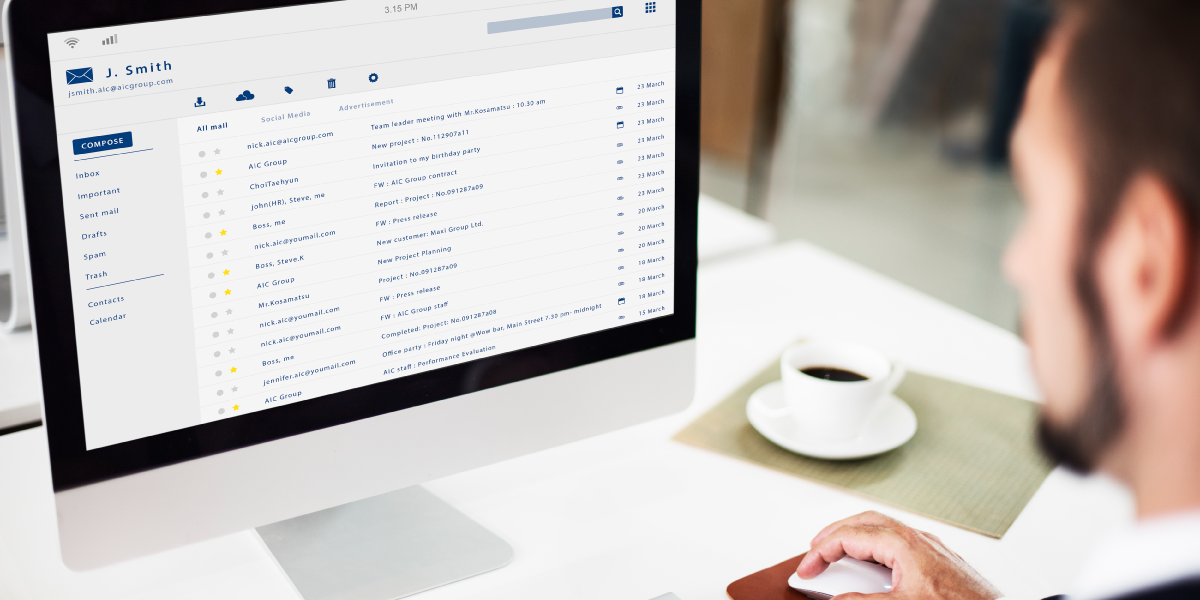
So how does the disguise actually reach your team? Attackers have a deep toolkit, and most of it preys on ordinary daily habits. Email is the favorite. A message looks like a shipping notice, a past-due invoice, or a note from a vendor you trust, and the attachment carries the payload.
But email is only the start. Here are the channels Michigan businesses run into most:
- Malicious email attachments. Fake invoices, resumes, and delivery notices remain the number one delivery method.
- Pirated or cracked software. Free downloads from torrent and file-sharing sites often hide a Trojan inside the installer.
- Spoofed software updates. A pop-up claims your browser or antivirus needs an update, and the download is the malware itself.
- Compromised or fake websites. A hijacked site can redirect a normal download to a malicious server without any warning.
- Rogue Wi-Fi hotspots. A fake network at a coffee shop or airport can reroute traffic and push infected files to a device.
- Malicious ads and links. A single click on a social media ad can start a silent background download.
Notice the common thread? Almost every path depends on a person making one quick decision. So the human layer matters as much as any firewall. Good training pairs with good tools, and neither works well alone.
Common Types of Trojan Malware
Not all Trojans want the same thing. Some steal money. A few just spy. Others quietly hand the keys to a stranger. Knowing the categories helps your team gauge the stakes of a single infection.
- Backdoor Trojans. These open a hidden door so attackers can control the device from anywhere, moving files or launching fresh attacks at will.
- Downloader Trojans. Their only job is to pull in more malware, often ransomware or spyware, after the first foothold lands.
- Ransomware Trojans. They encrypt your files and demand payment. For a small firm, the downtime alone can be brutal.
- Banker Trojans. Built to capture banking logins and card details, usually through keylogging during online transactions.
- Spyware Trojans. They watch quietly, logging keystrokes and grabbing screenshots to harvest credentials over time.
- DDoS Trojans. They turn your devices into part of a botnet, then flood a target with traffic on the attacker’s command.
- Rootkit Trojans. They hide other malware deep in the system, dodging antivirus and stretching out the infection.
Real cases drive the point home. Emotet started as a banking Trojan in 2014 and grew into one of the most stubborn threats on record, often arriving as a Word document attached to an invoice email. Zeus stole financial data from tens of thousands of accounts across major banks. Different goals, same trick: a quiet entrance through a trusted-looking file.
Warning Signs Your Business Has Been Hit
Can you spot a Trojan before it does real damage? Sometimes, yes. The clues are easy to miss because they look like everyday tech annoyances. Still, a sharp eye buys precious time.
- Sluggish, unpredictable devices. A machine slows down, freezes, or reboots for no clear reason.
- Strange pop-ups and spam. Unexpected alerts, ads, or notifications crowd the screen during normal work.
- Programs behaving oddly. A familiar document or app does not open or run the way it should.
- Unknown processes. New programs or background tasks appear without anyone installing them.
- Disabled security tools. Antivirus or firewall settings switch off on their own.
- Account lockouts and odd logins. Staff get locked out, or logins show up from places no one recognizes.
Here is the catch. Many Trojans are built to stay silent. They can sit dormant for weeks, gathering data and waiting for orders. So a quiet network is not proof of a clean network. And that gap between infection and discovery is exactly where steady monitoring earns its keep.
The Real Cost to Michigan Businesses
Why treat a single Trojan as a board-level issue? Because the math is harsh, especially for smaller firms with thinner margins. A breach is rarely just a cleanup bill. It is lost revenue, idle staff, legal exposure, and a dent in customer trust.
Industry research puts the average U.S. data breach cost at roughly $10.22 million in 2026, an all-time high. Most small firms face far smaller bills, yet the trend points one way: up. (Verify against the latest IBM and SentinelOne figures.)
Smaller companies feel the squeeze hardest. Reports suggest around 43% of cyberattacks target small businesses, and many lack a dedicated security team to fight back. Downtime piles on fast, too. One widely cited 2025 figure pegs the cost of IT downtime near $53,000 per hour for affected organizations, which we share as an approximate benchmark worth checking against your own risk.
A frequently quoted estimate suggests roughly 60% of small businesses close within six months of a major cyberattack. The exact number is debated across sources, so we flag it as a directional warning rather than a hard fact.
The takeaway is simple. Recovery costs dwarf prevention costs almost every time. A modest investment in layered defense looks tiny next to a single serious incident. For a Grand Rapids manufacturer or a Detroit medical office, the difference can decide whether the doors stay open.
How to Protect Your Business from Trojan Malware
No single tool stops every Trojan. Strong protection comes from layers, where each one catches what the last one missed. Think of it as depth, not a single wall. Here is the stack that works for most West Michigan businesses.
Train your people
Your staff are the first line, not the weak link. Regular, plain-language training helps everyone spot a sketchy attachment or a too-good-to-be-true download. Short refreshers beat one long annual lecture. And phishing simulations turn lessons into muscle memory.
Patch and update relentlessly
Outdated software is an open window. Attackers love known holes because so many networks leave them unpatched. Keep operating systems, browsers, and apps current. Automated patching takes the burden off busy teams.
Filter email and web traffic
Good email security scans attachments, checks sender reputation, and strips malicious links before they reach an inbox. Pair it with DNS filtering to block known-bad sites. The U.S. cyber agency CISA offers free guidance on email and phishing defense at CISA’s best practices hub.
Deploy modern endpoint protection
Today’s tools go beyond signature matching. They watch behavior, flag odd activity, and isolate a threat in real time. Continuous updates keep them sharp against new variants.
Back up everything, and test it
Solid backups blunt the worst-case scenario. If ransomware locks your files, a clean recent backup lets you recover without paying. Our guide to data backup and recovery walks through the essentials. Test restores often; an untested backup is just a hope.
Monitor around the clock
Trojans hide. So someone, or something, needs to watch constantly. Managed monitoring catches the quiet signals a busy in-house team can miss at 2 a.m. The widely used NIST Cybersecurity Framework lays out a clear model for this kind of continuous defense.
| Approach | What You Get | Best Fit For |
|---|---|---|
| Do-it-yourself antivirus | Basic signature scanning on each device; manual updates and patching | Solo operators with very low risk |
| In-house IT team | Hands-on control, but limited after-hours coverage and rising labor costs | Larger firms with budget for full staff |
| Managed IT and security (Kraft) | Layered defense, 24/7 monitoring, patching, backups, and staff training in one plan | Small to midsize Michigan businesses |
Most growing companies land on the managed model. It spreads the cost, fills the overnight gap, and frees your team to run the business. Curious where your defenses stand? Our managed IT services bundle these layers into one predictable plan.
Trojan Malware vs Other Common Threats
People mix up the terms all the time. So here is a plain side-by-side to keep them straight, because the right response depends on the right diagnosis.
| Threat | How It Spreads | Main Goal | Spreads on Its Own? |
|---|---|---|---|
| Trojan malware | User installs a disguised file | Steal data, open a backdoor, drop more malware | No, needs human action |
| Virus | Attaches to files and programs | Corrupt or alter data | Yes, self-replicates |
| Worm | Exploits network gaps | Spread fast and consume resources | Yes, no user needed |
| Ransomware | Often delivered by a Trojan | Encrypt files and demand payment | Depends on delivery |
| Spyware | Bundled or installed quietly | Watch and harvest data | No |
See how often the paths cross? A Trojan frequently serves as the courier for ransomware or spyware. So stopping Trojans early also blocks a chain of nastier follow-on attacks. That is why layered defense pays off twice.
Industries Most at Risk Across Michigan
Does your industry shape your Trojan risk? It does, and the gap is wider than many owners expect. Attackers chase data they can sell and operations they can hold hostage. So some sectors draw more fire than others, and the local mix in Michigan reflects the state’s economy.
Manufacturing
West Michigan runs on manufacturing, and connected factory floors widen the target. A single banker Trojan on an accounting machine can reroute a vendor payment. A downloader Trojan on a shared workstation can halt a production line. Downtime here is measured in lost shipments, not just lost files. And tight supply schedules leave little room to recover.
Healthcare
Medical offices in Grand Rapids and Detroit hold patient records, and those records fetch a premium on criminal markets. Spyware Trojans quietly harvest data for months. The fallout is not only financial; HIPAA penalties and patient trust hang in the balance too. Strong email filtering and monitoring matter most where privacy law is strict.
Professional Services and Finance
Law firms, accountants, and advisors handle money and sensitive client files daily. Banker Trojans and credential-stealing payloads aim straight at this group. One compromised inbox can expose a whole client roster. So layered identity protection earns its place fast.
Local Government and Education
Schools and municipal offices often run leaner budgets and older systems. Attackers know it. Ransomware Trojans have shut down districts and city services across the country. Patching and tested backups are the cheapest insurance these teams can buy.
No sector is immune, though. A Traverse City retailer and a Caledonia logistics firm face the same core threat, just with different stakes. The defense playbook stays consistent: layers, training, and constant watch.
Your First Hour After a Trojan Strikes
What happens in the first sixty minutes can decide how much a Trojan costs you. Panic spreads damage. A calm, practiced plan contains it. Here is a clear order of moves your team can follow when something feels wrong.
- Isolate the device. Pull it off the network and Wi-Fi right away. This single step stops a quiet infection from reaching shared drives and other machines.
- Do not power down blindly. A hard shutdown can wipe clues a security team needs. Disconnect first, then ask for guidance before turning anything off.
- Alert your IT or security partner. Speed matters more than certainty here. A quick call to a team like Kraft Business Systems starts containment while details are still fresh.
- Change exposed passwords. From a clean device, reset credentials for email, banking, and any account the infected machine could touch.
- Preserve the evidence. Note what happened and when. Screenshots of odd pop-ups or messages help investigators trace the entry point.
- Check your backups. Confirm a clean, recent backup exists before any cleanup begins, so recovery is an option if files were locked or altered.
Notice what is missing from that list? Paying a ransom. And ignoring the problem in hopes it clears on its own. Neither works, and both tend to deepen the hole. A written response plan, practiced once or twice a year, turns a scary moment into a routine drill. We help West Michigan clients build and rehearse exactly this kind of plan.
How Kraft Business Systems Helps
We are a Michigan team, and we build security around the way local businesses actually work. Here is what partnering with Kraft Business Systems looks like in practice.
Risk Assessment
We map your weak spots first, from unpatched devices to risky email habits, so the plan fits your real exposure.
24/7 Monitoring
Our team watches your network around the clock and acts fast when something looks off, even overnight.
Email Security
We filter attachments and links before they reach inboxes, cutting off the top Trojan delivery route.
Endpoint Protection
Modern tools on every device spot odd behavior and isolate threats in real time, not after the fact.
Backup & Recovery
We keep tested, current backups ready, so ransomware never forces an impossible choice.
Staff Training
We coach your team with plain talk and practice runs, turning everyday users into a strong first line.
One partner, one plan, one bill. From Grand Rapids to Caledonia and across West Michigan, Kraft Business Systems handles the security layers so you can focus on customers. Want a second set of eyes on your setup? A quick conversation through our contact page is an easy place to start.
Frequently Asked Questions
What is Trojan malware in simple terms?
It is malicious software dressed up as something safe, like a normal file, link, or app. You install it thinking it is fine, and then it does its damage. Unlike a virus, a Trojan needs a person to let it in.
Is a Trojan a virus?
Not quite. People use the words loosely, but they differ. A virus copies itself and spreads on its own. A Trojan stays put and waits for someone to run it. The disguise is the whole trick.
How does Trojan malware get onto business computers?
Most often through email attachments and links. Pirated software, fake update pop-ups, hijacked websites, and rogue Wi-Fi hotspots are common too. Nearly every path relies on one person clicking something they trust.
What are the warning signs of a Trojan infection?
Watch for slow or crashing devices, surprise pop-ups, programs acting strangely, unknown background processes, and security tools switching off by themselves. Account lockouts and odd login locations are red flags as well.
Can antivirus alone stop Trojan malware?
Antivirus helps, but it is not enough by itself. Many Trojans hide from signature scans. Strong protection layers email filtering, patching, endpoint monitoring, backups, and staff training on top of antivirus.
What should my business do if we suspect a Trojan?
Disconnect the affected device from the network right away to limit spread. Then bring in a security team to investigate, clean, and confirm the threat is gone. Restore from a clean backup if files were touched. Kraft Business Systems can guide each step.
How much does Trojan malware protection cost in Michigan?
Pricing depends on company size and the layers you need. Many small firms find a managed plan costs far less than a single breach. Reach out for a tailored quote based on your devices and risk.
Are small businesses really targeted by Trojans?
Yes, and often. Reports suggest a large share of attacks aim at smaller firms, partly because their defenses tend to be thinner. Attackers see an easier door. So size offers no safety here.
Can a Trojan steal banking information?
It can. Banker Trojans are built for exactly this, using keyloggers to grab logins and card numbers during online transactions. Strong endpoint protection and safe browsing habits help shut this down.
Does keeping software updated really help?
A lot, yes. Many Trojans exploit known flaws in old software. Patching closes those holes before attackers reach them. Automated updates make it painless and keep your whole network on the current version.
How does ransomware connect to Trojan malware?
Trojans often act as the delivery vehicle. A downloader Trojan slips in first, then pulls ransomware down behind it. So stopping Trojans early also blocks many ransomware attacks before they start.
Why work with Kraft Business Systems for cybersecurity?
We are local to West Michigan, and we bundle the full defense stack into one plan: assessment, monitoring, email security, backups, and training. You get round-the-clock coverage without building a security team from scratch.
Worried a Trojan Could Slip Through?
Let our Michigan team check your defenses and close the gaps before attackers find them. Your assessment is free, and there is no pressure.
Call (616) 800-7682
GET A FREE IT & CYBERSECURITY ASSESSMENT
Krafting Secure and Innovative IT Solutions for Your Business
Kraft Business Systems | 6980 Southbelt Drive, Suite 1, Caledonia, MI 49316