


AI Overview:
Figuring out how much managed IT services cost in Michigan starts with one key number: most businesses pay between $75 and $250 per user, per month. But that wide range exists for a reason. Your final price depends on the pricing model you choose, the complexity of your technology, your cybersecurity requirements, and the level of support your business truly needs.
Decoding Your Managed IT Services Cost
Trying to budget for IT support requires a good handle on how Managed Service Providers (MSPs) actually structure their pricing. It’s a lot like picking a cell phone plan. You wouldn’t just sign up without knowing if you’re paying per line, per gigabyte of data, or for an unlimited family package. IT providers offer different models for the same reason: to fit different business needs.
The goal is to land on a model that feels predictable, can grow with you, and lines up with your budget and how your company operates. For businesses here in Michigan, that means looking beyond a simple price tag to see how each model actually delivers value. Getting a grip on these options is the first step toward making a smart, confident investment in your company’s tech foundation.
Common Pricing Models Explained
Most IT providers, whether in Michigan or elsewhere, use one of three main pricing structures. Each has its own pros and cons, and they’re definitely not one-size-fits-all. A professional services firm in Detroit with 20 employees is going to have very different needs than a manufacturing plant in Grand Rapids with a bunch of shared workstations.
- Per-User Pricing: You pay a flat monthly fee for each employee on your team. This model is super straightforward and covers all the devices a person uses—their desktop, laptop, and maybe even their smartphone. It’s perfect for businesses where staff members regularly hop between multiple devices.
- Per-Device Pricing: Here, the cost is tied to the number of devices being managed. This includes everything from servers and computers to firewalls and printers. This option is often a great fit for companies that have more devices than people, like manufacturing facilities with shared computer terminals on the shop floor.
- Tiered Pricing: With this model, providers offer a few different packages (think Bronze, Silver, and Gold) with increasing levels of service at different price points. A basic tier might just cover monitoring and helpdesk support, while a premium tier could include advanced cybersecurity and strategic IT consulting.
The infographic below gives you a quick visual breakdown of how these common IT pricing models stack up.
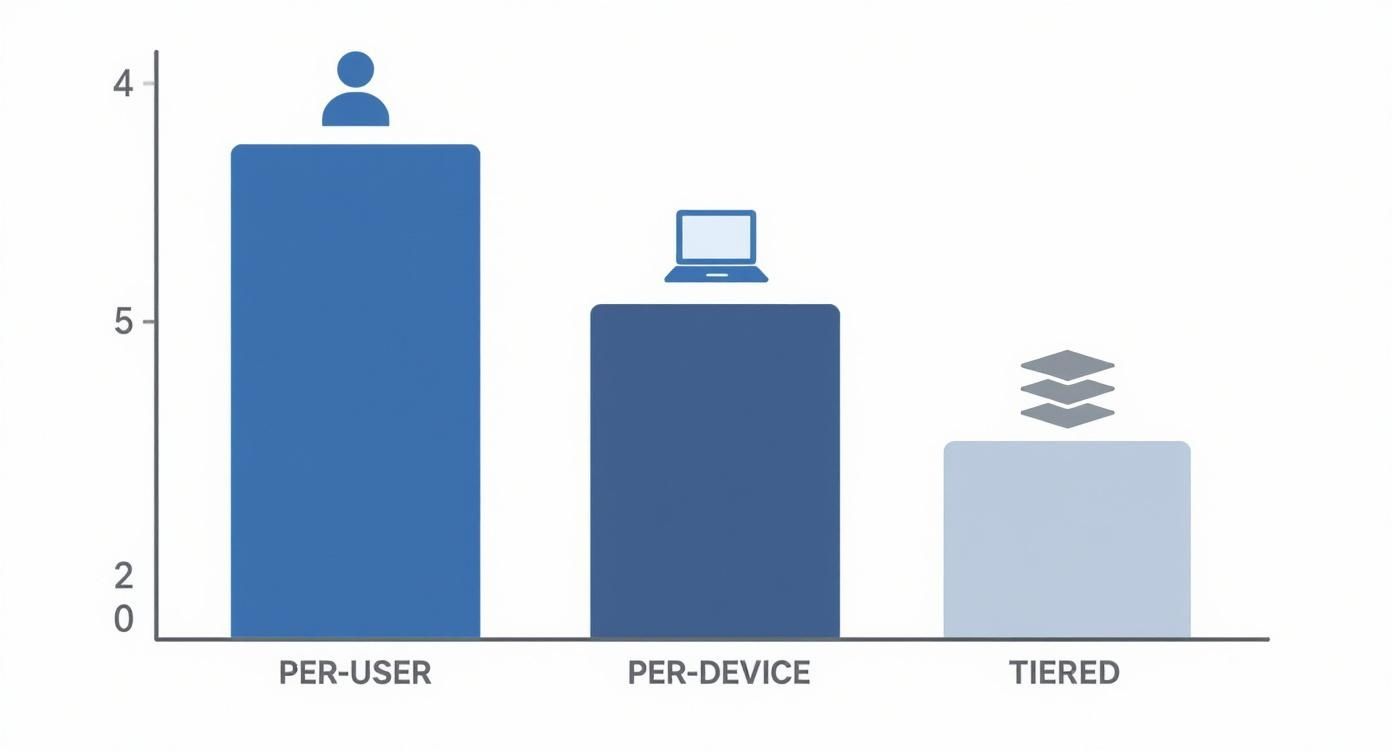
As you can see, each pricing model—Per-User, Per-Device, and Tiered—offers a distinct way to approach budgeting for your company’s technology needs.
Choosing the right structure isn’t just a small detail; it’s absolutely critical for controlling costs and making sure you get the support your team actually needs. You can learn more about the fundamentals in our complete guide explaining what managed IT services are.
This decision is only getting more important. The global managed services market is projected to hit an incredible $1.3 trillion by 2035, a massive jump fueled by the demand for scalable and secure IT. This explosive growth just highlights how important it is to find a provider whose pricing aligns with your business goals right from the start.
What Really Drives Your Final IT Quote
Ever wonder why one Michigan business pays $2,000 a month for managed IT while a similar-sized company across town gets a quote for $8,000? It almost never comes down to just the number of employees. Several key variables shape your final quote, turning a ballpark estimate into a specific investment that reflects your company’s reality.
Getting a handle on these factors is the first step. It lets you look at your own business and get a feel for what your needs will translate to in a real proposal, giving you a much clearer picture before you even start the conversation.

The Complexity of Your IT Infrastructure
The single biggest cost driver is, without a doubt, the complexity of your existing technology. A business running a handful of cloud apps with modern computers has a much simpler IT footprint than a company with aging on-premise servers, custom legacy software, and multiple offices that need to be securely connected.
Think of it like hiring a mechanic. Servicing a standard sedan is pretty straightforward. Servicing a highly customized classic car with rare parts and unique wiring? That takes specialized skills and more time, which naturally costs more.
Your IT provider will be looking at a few specific things:
- Age and Type of Hardware: Older servers, workstations, and network gear need more hands-on maintenance and are more likely to fail, which means a bigger support burden.
- On-Premise vs. Cloud: Managing physical servers in your office is just more labor-intensive. It means dealing with updates, security, and eventual hardware replacement. A streamlined cloud environment is often simpler to manage. Learning how to optimize cloud costs is a smart strategy for long-term budget control.
- Software and Applications: Supporting standard software like Microsoft 365 is routine for any IT provider. But if you’re running proprietary, industry-specific applications or outdated legacy software, that requires special expertise and much more intensive management.
Cybersecurity and Compliance Requirements
Cybersecurity isn’t just an add-on; it’s a core part of any modern managed IT service and a huge factor in your monthly cost. A basic plan will cover the essentials like antivirus and firewall management. But for many Michigan businesses handling sensitive data, that’s just the starting line.
For instance, a healthcare clinic in Lansing has to follow strict HIPAA rules, which means advanced encryption, tight access controls, and detailed audit logs are non-negotiable. Likewise, a Grand Rapids manufacturer in the defense supply chain might need to meet CMMC (Cybersecurity Maturity Model Certification) standards.
A strong cybersecurity framework isn’t an expense—it’s an investment. A single data breach can cost a small business an average of $176,000, making proactive security one of the most cost-effective parts of any IT plan.
Getting to that level of compliance—and staying there—requires advanced tools, constant monitoring, and specialized knowledge. All of that is reflected in the final quote.
Your Required Level of Support
Not all support is created equal. The kind of access you need and how fast you need a response will directly impact your managed IT services cost. The main difference really comes down to your operating hours.
- Standard Business Hours (e.g., 9-5, Monday-Friday): This is the most common and budget-friendly option. It works well for businesses that operate during the day and can wait until the next morning for non-critical issues.
- 24/7/365 Support: This is the premium level, giving you round-the-clock access to technical help. It’s absolutely essential for organizations that can’t afford any downtime—think manufacturing plants with multiple shifts, healthcare facilities, or any business serving a global customer base.
The goal is to match your service level to what you actually need. Paying for 24/7 support you never use is a waste of money, but not having it when a critical system goes down at 2 a.m. can be catastrophic. Looking at a detailed cloud hosting cost comparison can also help you see how different service levels and infrastructure choices impact pricing across the board.
IT Costs for Key Michigan Industries
A law firm in downtown Detroit has completely different tech needs than a manufacturing plant on the outskirts of Grand Rapids. While both need reliable IT, their day-to-day challenges—and the costs that come with them—are worlds apart. The price tag for managed IT services in Michigan is shaped by your industry’s unique operational realities and regulatory burdens. Getting a handle on these specifics is the first step to building an IT budget that actually works.
For a lot of businesses, a big chunk of the cost still comes from managing physical, on-site hardware. It’s a trend that holds true across the market. Even with all the buzz about the cloud, on-premise servers and equipment still account for over 51% of the managed services market share. You can dig into more of the numbers by reviewing insights on managed services growth from Grandview Research. This tells us that many Michigan companies are still investing heavily in managing the gear in their own buildings.
This mix of on-site and cloud infrastructure creates a unique cost profile that looks very different depending on what industry you’re in.
Healthcare IT Costs and HIPAA Compliance
For Michigan’s healthcare providers, from a small clinic in Traverse City to a larger hospital system, IT isn’t just about keeping the computers on. It’s about protecting patient safety and privacy. The Health Insurance Portability and Accountability Act (HIPAA) is the law of the land, and it drives every single technology decision, making healthcare IT costs naturally higher.
HIPAA compliance isn’t optional, and it demands a security strategy that goes way beyond standard IT support. It’s a multi-layered game that includes:
- Advanced Encryption: All patient data, whether it’s sitting on a server (at-rest) or being sent over the network (in-transit), has to be locked down with strong encryption.
- Strict Access Controls: Your IT partner must build and manage systems that prove only authorized staff can get anywhere near Protected Health Information (PHI).
- Regular Risk Assessments: HIPAA requires frequent, in-depth security audits to find and fix weak spots. This isn’t a job for a generalist; it takes specialized expertise.
- Business Associate Agreements (BAAs): Any IT provider you work with must sign a BAA. This is a legally binding contract that makes them just as responsible as you are for protecting PHI.
Because of these rules, managed IT for healthcare is so much more than a helpdesk. It requires robust, auditable security that directly bumps up the monthly fee. Getting these requirements right is a huge part of maintaining cybersecurity compliance for Michigan businesses.
Manufacturing IT and Operational Technology
Michigan’s manufacturing sector is playing a completely different ballgame. Here, the challenge is securing two distinct but connected worlds: traditional information technology (IT) and the specialized operational technology (OT) that runs the factory floor. When these two worlds collide, it creates a complex environment that needs a very specific kind of support.
In manufacturing, downtime isn’t just an inconvenience—it’s a direct hit to the bottom line. An hour of a stalled assembly line can cost thousands, making IT reliability a make-or-break part of the business.
The big cost drivers for manufacturers include:
- Supporting Operational Technology (OT): Keeping the machinery, sensors, and industrial control systems online and secure requires a skillset that goes far beyond typical office IT.
- Supply Chain Security: Data shared with suppliers and vendors is a prime target. A breach in your supply chain can halt production and expose sensitive business plans.
- Multi-Shift Operations: Many plants run 24/7. This means they need round-the-clock IT support to fix problems the second they happen—a premium service that adds to the total managed IT cost.
Because keeping the line moving is everything, manufacturers often put more money into proactive monitoring, network redundancy, and 24/7 support. This intense focus on uptime and specialized OT support shapes their IT budget in a way most other industries never have to consider.
Calculating Your Real Return on Investment
It’s easy to look at the cost of managed IT services as just another line item on the expense report. That’s a common mistake, but it’s a big one. The smarter way to see it is as an investment in your company’s health, its security, and its future. When you start talking about Return on Investment (ROI) instead of just cost, the real value snaps into focus.
This isn’t about fuzzy feelings or vague promises. Calculating ROI means connecting proactive IT management to real, hard numbers and business outcomes. This practical, numbers-first approach helps justify the expense and shows exactly how a well-oiled tech environment fuels your bottom line.

Beyond the Monthly Invoice
The first step is to look past that monthly invoice and pinpoint the tangible financial perks your business gets. These are the spots where proactive IT support stops you from bleeding money and actually creates new efficiencies.
Key ROI drivers include:
- Reduced Downtime: Every single minute your systems are down, your business is losing money. Proactive monitoring and steady maintenance from an MSP drastically chop down how often outages happen and how long they last.
- Improved Productivity: Think about it. When your team isn’t fighting with slow computers, spotty network connections, or glitchy software, they can actually do their jobs. That reclaimed time translates directly into getting more done.
- Enhanced Security: Preventing a single data breach can save a small business tens of thousands of dollars in cleanup costs, fines, and damage to its reputation. This is often the biggest, though sometimes invisible, part of your ROI.
These are the building blocks for understanding the true financial impact of what you’re paying for managed IT.
Sample ROI Scenarios for Michigan Businesses
To really make this hit home, let’s walk through a few scenarios you’d find right here in Michigan. These examples break down what the monthly cost might look like and then quantify the financial return based on everyday business challenges.
The table below shows how the numbers can stack up for different types of small and mid-sized businesses, turning an IT expense into a clear financial win.
| Business Profile | Estimated Monthly Cost | Key ROI Drivers | Projected Annual ROI |
|---|---|---|---|
| 15-Person Law Firm, Detroit | $2,250 (@ $150/user) | Downtime prevention during billable hours; 5% productivity gain from faster systems; data breach avoidance. | 200% – 300% |
| 50-Employee Manufacturing Plant, Grand Rapids | $6,250 (@ $125/user, 24/7) | Maximized production line uptime ($10k+/hour); secure supply chain; improved operational analytics. | 300% – 500% (or higher) |
| 100-User Non-Profit, Lansing | $9,500 (@ $95/user) | Maintained donor trust through robust security; compliance for new grant funding; maximized staff mission focus. | 150% – 250% (plus grants) |
These aren’t just hypotheticals; they represent the real-world financial shifts we see when Michigan organizations move to a proactive IT model. The initial monthly cost is dwarfed by the savings from avoided disasters and the gains from improved efficiency.
By reframing the managed IT services cost as an investment with a measurable return, your organization can make a more strategic decision—one that lines up your technology directly with your most important business goals.
How to Read an IT Service Contract
That low price on a managed IT services quote can sometimes be a wolf in sheep’s clothing. We’ve seen it happen: a poorly written contract or a vague Service Level Agreement (SLA) looks great on paper but leaves a Michigan business exposed right when they need support the most. Learning to read the fine print isn’t just a good idea—it’s the best way to protect your operations.
Signing an agreement isn’t just about locking in a price; it’s about defining a partnership. The contract lays down the rules of engagement, clarifies who’s responsible for what, and holds your IT provider accountable for delivering real results, not just empty promises. A strong contract is your assurance that the investment you’re making will actually pay off.
Decoding the Service Level Agreement
The Service Level Agreement (SLA) is, without a doubt, the most critical part of your contract. This is the section that puts numbers to the promises made during the sales pitch. Think of it as the performance guarantee for your IT support. A weak or fuzzy SLA is a major red flag.
When you’re reviewing the SLA, hunt for specific, measurable metrics. Vague language is your enemy here. You need clear, black-and-white commitments that leave zero room for interpretation down the road.
The difference between a “response” and a “resolution” can mean hours or even days of costly downtime. A provider can respond to a ticket in minutes but take all day to actually fix the problem. Your SLA must clearly define timelines for both.
Look for these non-negotiable components:
- Guaranteed Response Time: This is how quickly the provider promises to acknowledge your support request and get to work. It’s the “we got your message” metric.
- Guaranteed Resolution Time: This is the maximum time it should take to actually solve the problem. Honestly, this is far more important than how fast they respond.
- System Uptime Guarantee: For your critical systems—like your server or core applications—the SLA should promise a specific percentage of uptime, often 99.9% or higher.
- Penalties for Non-Compliance: What happens if the provider drops the ball and fails to meet these guarantees? A solid SLA will spell out service credits or other penalties. This shows they have skin in the game.
Spotting Common Contract Red Flags
Beyond the SLA, the rest of the contract is filled with clauses that can either protect your business or lock you into a bad situation. It’s vital to spot potential trouble before you put ink to paper. For a deeper dive into protecting your business when assessing service agreements, check out this guide on how to review a contract with confidence.
Keep a sharp eye out for these common red flags:
- Ambiguous Language: Watch out for phrases like “best effort” or “as needed.” These are subjective, squishy terms that are completely unenforceable. Support terms, especially for after-hours or emergency issues, must be spelled out explicitly.
- Unclear Cancellation Policies: You need to understand exactly what it takes to terminate the agreement. Look for excessively long notice periods or hefty early termination fees that can trap you with an underperforming provider.
- Automatic Renewals: Many contracts have an “evergreen” clause that automatically renews the agreement for another full term—often a year or more—unless you give notice way in advance. Make a calendar reminder for that deadline.
- Liability Limitations: Every contract will limit the provider’s liability, but make sure it’s reasonable. A clause that absolves them of all responsibility, even in cases of their own negligence, is a major concern and should be challenged.
By carefully reviewing these key areas, you empower your Michigan business to enter into a fair, transparent partnership. A well-defined contract ensures your managed IT services cost translates into real, accountable support that helps your organization thrive.
Questions Every Business Should Ask an IT Provider
Choosing an IT provider is a major decision, one that goes way beyond a simple price tag. Before you even think about signing a contract, you need to ask the right questions. This isn’t just about vetting their skills; it’s about understanding their service philosophy and figuring out if they’ll be a genuine partner for your business.
Think of it like hiring a key employee. You wouldn’t bring someone on board without a serious interview, and the same rule applies here. These questions are designed to cut through the sales pitch and reveal a provider’s true competence—and whether they’re the right long-term fit for your Michigan business.
Vetting Technical and Industry Expertise
First things first, you have to confirm they have the right experience for your specific needs. Not all IT providers are created equal, especially when you’re dealing with industry-specific headaches like HIPAA or CMMC compliance.
Start with these essentials:
- Do you have experience with other companies in our industry? Don’t just take their word for it; ask for case studies or references. A provider who already gets your world will understand your core software and the compliance pressures you face from day one.
- What certifications do your technicians hold? You want to see credentials relevant to the technology you actually use, like certifications from Microsoft, Cisco, or CompTIA.
- How do you approach cybersecurity? Their answer should be confident and detailed. They need to cover everything from firewalls and endpoint protection to employee security training and a rock-solid incident response plan.
Understanding Service and Support Processes
Next, it’s time to dig into how they actually deliver support when you need it. A low managed it services cost means nothing if your business is dead in the water and you can’t get a real person on the phone. This is where you separate a proactive partner from a basic helpdesk.
A provider’s emergency response process tells you everything you need to know about their customer service philosophy. If they give you a vague answer here, it’s a massive red flag. It often signals a reactive support model that will leave you stranded during a real crisis.
Get specific with your questions about their support structure:
- What are your guaranteed response and resolution times in the SLA? Make sure these are spelled out clearly for different priority levels. “We’ll get back to you soon” isn’t an answer.
- Do you have a local Michigan presence for on-site support? When hardware fails or your network goes down, remote support won’t cut it. Having local technicians who can get to your office quickly is non-negotiable.
- How do you report on performance and system health? A good partner provides regular, easy-to-understand reports that track key metrics and prove the value they’re delivering.
The managed services market is exploding. Projections show it’s expected to hit $116.25 billion by 2030 in the United States alone, mostly because businesses are desperate for better security and infrastructure management. You can see more data about the expanding managed services industry on infrascale.com. All this growth means you have more choices than ever, making it absolutely critical to vet providers thoroughly to find a true partner.
Frequently Asked Questions
When you start digging into managed IT services, a lot of practical questions pop up. Getting straight answers is key for any Michigan business owner trying to make the right call. We hear these questions all the time from organizations just like yours, so let’s clear the air.
Our goal here is simple: cut through the jargon and give you the real story behind the pricing. That way, you can compare quotes with confidence and find a partner who’s genuinely the right fit.
Ready to get a clear, no-surprise quote for your business? The experts at Kraft Business Systems are here to help you understand your options and build a plan that fits your goals and budget. Find out how we can protect and optimize your Michigan-based organization by visiting us at https://kraftbusiness.com.

