


Your email inbox serves as a central hub for business communication, making it a primary target for cybercriminals seeking entry into your network. From highly sophisticated phishing schemes and ransomware delivery to costly business email compromise (BEC) attacks, the threats are persistent and continually advancing. A single compromised account can lead to significant financial loss, data breaches, and reputational damage. Therefore, strengthening your organization’s email defenses is not merely an IT task; it is a fundamental business imperative.
This guide provides a comprehensive roundup of the most effective email security best practices, designed to create a robust, multi-layered defense system. We move beyond generic advice to deliver actionable strategies that you can implement to protect your sensitive data and maintain operational integrity. We will cover the essential technical controls, critical user policies, and necessary response protocols that safeguard your communications infrastructure.
Inside, you will find detailed breakdowns of crucial practices such as:
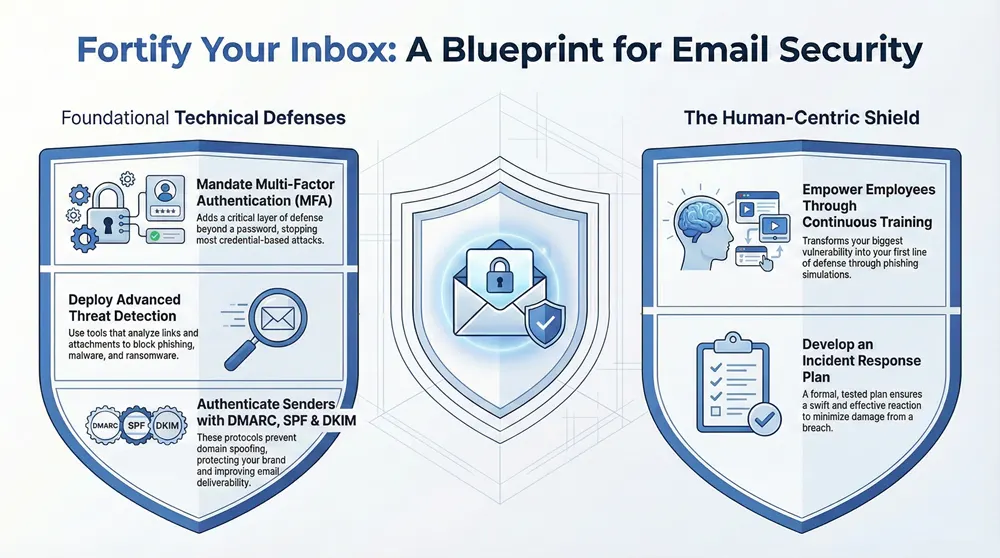
- Implementing authentication protocols like DMARC, SPF, and DKIM.
- Enforcing Multi-Factor Authentication (MFA) to secure account access.
- Deploying advanced phishing and malware detection systems.
- Establishing user training and incident response plans.
Each point is a vital component in building a resilient security posture. We will also explain how a dedicated managed IT partner simplifies the deployment and ongoing management of these essential protections, ensuring your organization remains secure against emerging threats.
1. Multi-Factor Authentication (MFA)
Multi-Factor Authentication (MFA) is a foundational email security best practice that adds a critical layer of defense beyond a simple password. It requires users to verify their identity through two or more independent methods before granting access to an email account. This process typically combines something you know (your password), something you have (a smartphone app or hardware token), and something you are (a fingerprint or facial scan), making it significantly harder for unauthorized users to gain entry even if they have stolen a user’s password.
This method acts as a powerful deterrent against common cyberattacks like phishing, credential stuffing, and brute-force attacks. When a threat actor attempts to log in with a compromised password from an unrecognized device, the mandatory second verification step stops them cold.
How to Implement MFA Effectively
Implementing MFA is one of the most impactful security measures an organization can take. For example, both Google Workspace and Microsoft 365 offer robust, built-in MFA capabilities that can be enforced across your entire organization.
To ensure a smooth and secure rollout, consider these actionable steps:
- Mandate MFA for All Users: Enforce MFA for every user without exception, paying special attention to administrative and executive accounts that hold privileged access.
- Prioritize Authenticator Apps: Encourage the use of authenticator apps (like Google Authenticator or Microsoft Authenticator) or hardware keys (like YubiKey) over SMS-based codes, which are more vulnerable to SIM-swapping attacks.
- Provide Backup and Recovery Options: Equip users with backup codes or alternative verification methods during setup. This prevents lockouts if a primary device is lost or unavailable.
- Monitor Adoption: Track MFA enrollment and address any user difficulties or resistance promptly. A managed IT partner can help streamline this process, providing user training and support. To explore how this works in practice, you can learn more about deploying Multi-Factor Authentication in Grand Rapids.
2. Email Encryption (End-to-End)
Email encryption is an indispensable email security best practice that protects the confidentiality of your communications. End-to-end encryption scrambles a message on the sender’s device and ensures it can only be unscrambled on the intended recipient’s device. This process renders the email unreadable to anyone in between, including internet service providers, email platform administrators, and malicious actors attempting to intercept the data in transit.
This method is crucial for organizations that handle sensitive information, as it provides a verifiable way to protect data from unauthorized access. For example, a healthcare provider using encryption to send patient records or a law firm transmitting confidential case details can maintain compliance with regulations like HIPAA and safeguard client privacy. The encryption makes the message content useless to anyone without the specific decryption key.
How to Implement Email Encryption Effectively
Implementing a robust encryption strategy is vital for securing sensitive data against breaches and interception. Leading platforms like Microsoft 365 offer built-in message encryption capabilities that can be configured to automatically protect emails containing specific types of information.
For a successful and secure deployment, consider these key steps:
- Define Clear Encryption Policies: Establish and communicate a clear policy outlining when encryption is mandatory. This should cover emails containing personally identifiable information (PII), protected health information (PHI), financial data, and intellectual property.
- Choose User-Friendly Solutions: Select an encryption solution that integrates seamlessly into your existing email client. Solutions like Virtru or Zix are designed to be intuitive, often using automatic detection to encrypt sensitive content without requiring extra steps from the user.
- Establish Key Management Procedures: Implement a centralized system for managing encryption keys and certificates. This includes secure backup and recovery procedures to prevent data loss if a user loses their key or leaves the organization.
- Conduct Regular User Training: Ensure all employees understand how and when to use email encryption. Training should cover identifying sensitive data, manually initiating encryption when needed, and verifying the identity of recipients before sending protected information.
3. Phishing and Malware Detection
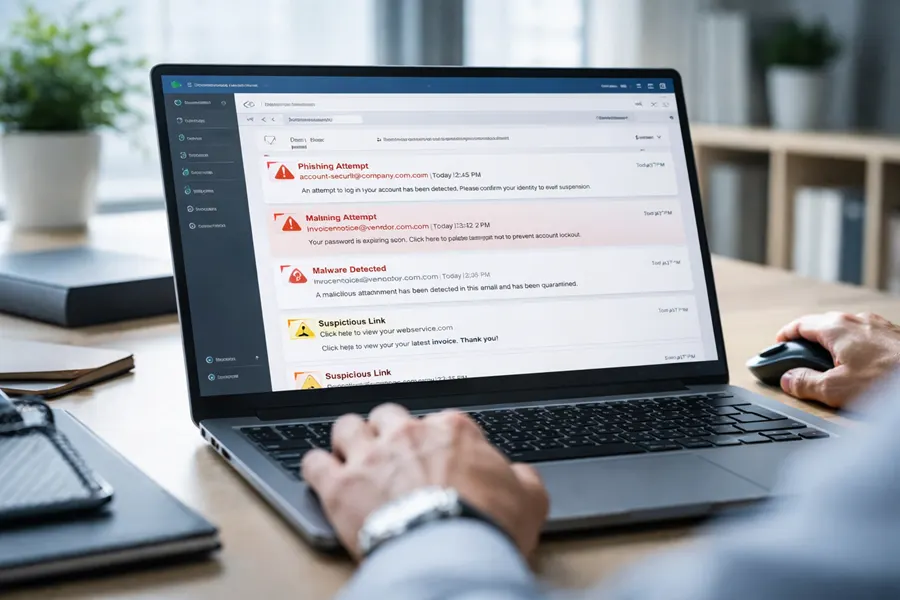
Modern cyberattacks often begin with a deceptive email, making robust phishing and malware detection a cornerstone of any effective email security strategy. This practice involves using advanced security solutions that analyze incoming emails for signs of malicious intent. These systems go beyond simple keyword filtering, employing machine learning, behavioral analysis, and real-time threat intelligence to identify and neutralize threats before they can compromise a user’s inbox or the entire network.
These sophisticated tools scrutinize every element of an email, including sender reputation, link destinations, attachment contents, and linguistic patterns. By flagging anomalies and known attack signatures, they block phishing attempts designed to steal credentials and prevent malware-laden attachments from ever being opened. This proactive defense is critical for protecting against ransomware, spyware, and business email compromise (BEC).
How to Implement Phishing and Malware Detection
Implementing a dedicated email security gateway is one of the most powerful steps to fortify your defenses. Solutions like Microsoft Defender for Office 365, Cisco Secure Email, and Mimecast provide the necessary tools to automatically detect and quarantine malicious messages.
To deploy these systems for maximum impact, follow these actionable steps:
- Deploy Sandboxing Technology: Use sandboxing to safely open and analyze suspicious attachments in an isolated environment. This prevents zero-day malware from executing on your network.
- Enable Dynamic URL Rewriting: Implement time-of-click protection, which rewrites links in emails. When a user clicks a link, it is re-evaluated against real-time threat intelligence, blocking access if the destination is found to be malicious.
- Establish Quarantine Workflows: Create clear procedures for managing quarantined emails. This allows administrators or users to safely review and release legitimate messages that were mistakenly flagged, while ensuring threats remain contained.
- Integrate Threat Intelligence Feeds: Enhance detection accuracy by integrating threat intelligence from multiple trusted sources. A managed IT partner can ensure these feeds are properly configured and updated to protect against the latest threats.
4. Strong Password Policies
Strong password policies are a fundamental email security best practice, establishing minimum requirements for user credentials to defend against brute-force attacks and credential stuffing. A modern approach moves beyond outdated rules like mandatory frequent changes and focuses on length and uniqueness, which are more effective at preventing unauthorized access. This framework ensures that passwords, the first line of defense, are resilient enough to withstand common automated attack methods.
This strategy directly thwarts attackers who use breach databases or guessing algorithms to gain entry. When policies enforce long, unique passphrases, they render dictionary attacks and common password lists ineffective, forcing attackers to abandon their attempts. This is a critical control for protecting sensitive company and client data housed within email systems.
How to Implement Strong Password Policies
Effective password policies are about creating strength without overburdening users, which often leads to poor security habits. Modern identity platforms like Microsoft Entra ID (formerly Azure AD) allow for granular policy enforcement and integration with breach-checking services.
To build a robust and user-friendly password policy, follow these actionable steps:
- Enforce Length Over Complexity: Mandate a minimum password length of 14 characters or more. According to NIST guidance, length is a far more critical factor in password strength than forcing a mix of character types.
- Allow Passphrases: Encourage the use of long passphrases (e.g., “Correct-Horse-Battery-Staple”) instead of short, complex strings. They are easier for users to remember and significantly harder for machines to crack.
- Check Against Breached Databases: Integrate a service that checks new passwords against known data breach lists, such as the Have I Been Pwned database. This prevents users from reusing compromised credentials.
- Deploy a Password Manager: Provide and mandate an enterprise password manager. This encourages users to create unique, strong passwords for every service without needing to memorize them, drastically reducing password reuse.
5. DMARC, SPF, and DKIM Implementation
DMARC, SPF, and DKIM are three powerful email authentication protocols that work together to prevent email spoofing and phishing. These technical standards validate that an email claiming to be from your domain was actually sent from an authorized server, protecting your brand reputation and stopping fraudulent messages from reaching their targets. They are a critical component of a modern email security best practices framework.
Implementing this trio of records effectively shuts the door on cybercriminals attempting to impersonate your domain. SPF (Sender Policy Framework) specifies which mail servers are permitted to send email on your domain’s behalf. DKIM (DomainKeys Identified Mail) adds a digital signature to emails, allowing the receiving server to verify that the message hasn’t been tampered with. DMARC (Domain-based Message Authentication, Reporting, and Conformance) then tells receiving servers what to do with messages that fail SPF or DKIM checks, such as rejecting them outright.
How to Implement DMARC, SPF, and DKIM Effectively
Properly configuring these DNS records is a technical but non-negotiable step for securing your email communications. Google and Microsoft have begun enforcing stricter DMARC requirements, making implementation essential for email deliverability. For a deeper dive into these authentication methods and how they prevent email spoofing and phishing, read more about Understanding DKIM vs DMARC.
To deploy these protocols without disrupting legitimate email flow, follow these actionable steps:
- Start with Monitoring: Begin by publishing a DMARC record with a
p=nonepolicy. This “monitoring mode” allows you to receive reports on all email traffic using your domain without affecting deliverability, giving you visibility into legitimate and fraudulent sending sources. - Implement SPF and DKIM: Ensure that both SPF and DKIM records are correctly configured for all legitimate sending services, including your primary email provider (e.g., Microsoft 365) and any third-party marketing or transactional email platforms.
- Gradually Increase Enforcement: Once you are confident that all authorized senders are properly authenticated, move your DMARC policy to
p=quarantine(sends unauthenticated mail to spam) and finally top=reject(blocks unauthenticated mail entirely). - Monitor and Refine: Continuously review DMARC reports to identify and address any configuration issues or new unauthorized sending activity. A managed IT partner can help analyze these complex reports and ensure your policies remain effective.
6. Data Loss Prevention (DLP)
Data Loss Prevention (DLP) is a strategic email security best practice that acts as a digital gatekeeper for outbound communications. It involves a set of tools and processes designed to ensure that sensitive or confidential information does not leave the corporate network without authorization. DLP solutions actively scan outgoing emails and their attachments for specific patterns that match predefined data policies, such as credit card numbers, Social Security numbers (SSNs), or proprietary intellectual property.
This proactive approach prevents both accidental data leaks and malicious exfiltration attempts. When an employee inadvertently tries to email a spreadsheet containing customer SSNs to an external recipient, or a disgruntled employee attempts to send trade secrets to a personal account, the DLP system can automatically block the email, encrypt it, or quarantine it for review. This functionality is critical for maintaining regulatory compliance (like HIPAA) and protecting valuable business assets.
How to Implement DLP Effectively
A well-configured DLP system is an essential component of modern cybersecurity and a key email security best practice. Major platforms like Microsoft 365 (with Microsoft Purview Information Protection) and dedicated solutions from providers like Forcepoint or Symantec offer powerful capabilities to protect sensitive information.
To roll out a successful DLP strategy, consider these actionable steps:
- Start with Critical Data: Begin by creating policies to identify and protect your most sensitive data types first. Common starting points include Personally Identifiable Information (PII) like SSNs, financial data like credit card numbers, and Protected Health Information (PHI).
- Use Quarantine Initially: Instead of immediately blocking all flagged emails, configure your initial policies to quarantine them for administrator review. This helps fine-tune the rules and identify legitimate business processes that might trigger false positives without disrupting workflow.
- Establish Clear Exceptions: Work with department heads to understand legitimate business needs for sharing sensitive data and create specific, narrow exceptions in your DLP policies. This ensures security measures do not hinder necessary operations.
- Combine with User Training: Use DLP incidents as teachable moments. When a policy is triggered, ensure users receive automated feedback explaining why the email was flagged and reinforcing company data handling policies. Effective DLP strategies are paramount; for a deeper dive, consult this technical guide on how to prevent data loss to better understand the mechanisms for protecting information.
7. Email Filtering and Spam Management
Email filtering and spam management are essential email security best practices that act as a first line of defense against a flood of unwanted and malicious messages. These solutions automatically scan, categorize, and block incoming emails identified as spam, phishing attempts, or malware threats before they can reach a user’s inbox. Modern systems leverage a sophisticated mix of content analysis, sender reputation scores, machine learning algorithms, and real-time threat intelligence to accurately differentiate legitimate communication from harmful content.
By proactively intercepting these threats, effective email filtering dramatically reduces the risk of successful phishing attacks, malware infections, and credential theft. This not only protects sensitive company data but also enhances employee productivity by decluttering inboxes and minimizing distractions from junk mail.
How to Implement Email Filtering Effectively
A robust filtering strategy goes beyond the default settings provided by your email client. Platforms like Microsoft 365 and Google Workspace have powerful native filtering, but they can be significantly enhanced with dedicated third-party solutions like those from Barracuda Networks or SpamTitan for multi-layered protection.
To maximize the effectiveness of your email filtering, consider these actionable steps:
- Adopt a Multi-Layered Approach: Combine the built-in filters of your email platform with a dedicated Secure Email Gateway (SEG). This creates multiple checkpoints for incoming threats, increasing the likelihood of catching sophisticated attacks.
- Establish Whitelist and Blacklist Protocols: Maintain actively managed lists of approved senders (whitelists) to ensure critical communications are never blocked, and known malicious senders (blacklists) to stop threats proactively.
- Enable User Feedback Mechanisms: Empower users to report suspicious emails. This feedback loop helps train the filtering system, improving its accuracy and ability to recognize emerging threats over time.
- Regularly Review Quarantined Emails: Designate an administrator to periodically check the quarantine folder for “false positives” (legitimate emails mistakenly blocked). This ensures important messages are not missed and helps refine filter rules. A managed IT partner can handle this tedious but critical task, ensuring your filtering is both secure and efficient.
8. User Training and Awareness Programs
Technical controls are essential, but the human element remains a critical variable in any security strategy. User training and awareness programs address this by educating employees on how to recognize, report, and respond to email-based threats. Since human error is frequently the root cause of security breaches, empowering your team with knowledge transforms your biggest potential vulnerability into your first line of defense.
This approach moves security from a purely technical function to a shared organizational responsibility. By teaching staff to identify the subtle signs of a phishing attempt, a malicious attachment, or a business email compromise (BEC) scam, you create a vigilant and security-conscious culture that actively protects company assets.
How to Implement User Training Effectively
Effective training goes beyond an annual presentation. It should be a continuous, engaging program that reinforces key email security best practices. Platforms like KnowBe4 provide comprehensive solutions that combine training modules with simulated phishing campaigns to test and measure employee awareness over time.
To build a robust training program, follow these actionable steps:
- Make Training Mandatory and Regular: Ensure every employee, from the C-suite to new hires, completes security training upon onboarding and participates in annual or semi-annual refreshers.
- Conduct Phishing Simulations: Regularly send simulated phishing emails to staff. This provides safe, real-world practice in identifying threats and helps identify individuals or departments needing more targeted education.
- Provide Immediate, Actionable Feedback: When an employee clicks a simulated phishing link, provide instant feedback explaining what the red flags were. Positive reinforcement, such as rewarding employees who report suspicious emails, is also highly effective.
- Use Realistic, Relevant Scenarios: Tailor training content and simulations to your industry and organization. Using examples that mimic real threats your team might face makes the lessons more impactful. You can explore a detailed approach to structuring these programs by reading more about cybersecurity training for employees.
9. Access Control and Least Privilege Principles
Applying the Principle of Least Privilege to email access control is a crucial security practice that ensures users have only the minimum level of access necessary to perform their jobs. This method drastically reduces the potential attack surface by limiting what a threat actor can do if they manage to compromise an employee’s account. Instead of gaining the keys to the entire kingdom, an attacker’s access is restricted to that specific user’s limited permissions, mitigating potential damage.
This strategy is fundamental to a modern Zero Trust security model, where trust is never assumed, and verification is required from everyone trying to access resources. By enforcing strict access controls, you limit the risk of both external breaches and internal threats, whether accidental or malicious. An unauthorized user or a compromised account simply cannot access sensitive mailboxes or system settings they are not explicitly granted permission to see.
How to Implement Access Control Effectively
Properly configured access control is a core component of any robust email security strategy, especially for organizations handling sensitive data like protected health information (PHI) or government records. Platforms like Microsoft 365 and Google Workspace offer granular controls to enforce these principles.
To build a strong access control framework, follow these actionable steps:
- Audit All Administrative Access: Regularly review who has administrative rights to your email system. These powerful accounts should be few in number and monitored closely.
- Use Conditional Access Policies: Implement policies that grant or deny access based on specific conditions. For example, you can block logins from unrecognized locations or non-compliant devices, a key feature in Microsoft Entra ID.
- Implement Time-Limited Privileges: For tasks requiring elevated permissions, grant temporary access that automatically expires after a set period. This prevents “privilege creep” where users accumulate unnecessary access rights over time.
- Conduct Quarterly Access Reviews: Schedule regular reviews with department managers to verify that each team member’s access levels are still appropriate for their current role. This practice is vital for compliance with regulations like HIPAA.
10. Incident Response and Email Breach Management
Even with robust preventative measures, a security incident can still occur. A well-defined incident response plan is an essential email security best practice that ensures your organization can detect, contain, and recover from an email-related breach swiftly and effectively. This documented strategy outlines the precise steps to take when a security event, such as a compromised account or a successful phishing attack, is identified.
A formal plan minimizes chaos and damage by providing a clear, repeatable process. It transforms a high-stress situation into a manageable one, guiding teams through investigating the breach, eradicating the threat, notifying affected parties, and restoring normal operations. Following established frameworks like the NIST Incident Handling Guide helps ensure all critical phases, from preparation to post-incident analysis, are covered.
How to Implement an Effective Incident Response Plan
Developing a plan before an incident is critical for a coordinated and effective defense. Large enterprises often have dedicated 24/7 Security Operations Centers (SOCs) to execute these plans, but businesses of any size can build a strong response capability.
To create a resilient email breach management process, focus on these key actions:
- Develop a Written Plan: Create a formal, written incident response plan that details roles, responsibilities, communication channels, and escalation procedures. This document should be the single source of truth during a crisis.
- Conduct Regular Drills: Run tabletop exercises and simulated breach scenarios to test your plan’s effectiveness and train your team. These drills identify gaps in your procedures before a real incident occurs.
- Establish Clear Escalation Paths: Define who needs to be contacted and when, including IT staff, management, legal counsel, and potentially law enforcement, based on the severity of the incident.
- Document Everything: Maintain meticulous records of every action taken during the incident. This documentation is vital for post-mortem analysis, regulatory compliance, and potential legal proceedings. A managed IT partner can provide the expertise to build and execute these complex procedures. You can explore a detailed framework by learning more about IT security incident response.
Top 10 Email Security Practices Comparison
| Solution | Implementation complexity | Resource requirements | Expected outcomes | Ideal use cases | Key advantages |
|---|---|---|---|---|---|
| Multi-Factor Authentication (MFA) | Low–Moderate (policy + vendor setup) | Authenticator apps/tokens, user enrollment, support | Significant reduction in unauthorized access and credential-based breaches | All organizations, admins, remote access, high-value accounts | Strong protection vs credential theft and phishing |
| Email Encryption (End-to-End) | High (PKI, key distribution, client support) | Certificate/key management, compatible clients, user training | Confidentiality and integrity of message content; limited server access to plaintext | Legal, healthcare, government, highly confidential communications | Ensures end-to-end confidentiality and non-repudiation |
| Phishing and Malware Detection | Moderate–High (ML models, tuning) | Threat intelligence, sandboxing, vendor platform, ongoing tuning | Fewer successful phishing/malware incidents; adaptive detection of new threats | Large enterprises, high-risk industries, high-volume email environments | Detects sophisticated and zero‑day threats; reduces manual review |
| Strong Password Policies | Low (policy changes) | Directory/policy settings, user support, optionally password managers | Reduced brute-force success; baseline account protection | All organizations as foundational control | Easy to implement; foundational security improvement |
| DMARC, SPF, DKIM Implementation | Low–Moderate (DNS + alignment) | DNS access, monitoring/reporting tools, coordination with third parties | Reduced domain spoofing and improved deliverability | Public-facing senders, brands, organizations using third-party mailers | Prevents spoofing; free/low-cost with visibility via reports |
| Data Loss Prevention (DLP) | High (policy design + tuning) | DLP solution, pattern rules, ML models, admin resources | Fewer accidental/intentional data leaks; compliance enforcement | Finance, healthcare, legal, IP-sensitive organizations | Prevents leakage of sensitive data; provides audit trails |
| Email Filtering and Spam Management | Low–Moderate (policy + models) | Filtering service, URL/attachment scanning, admin tuning | Reduced spam and common threats; improved user productivity | All organizations, especially high-volume inboxes | Reduces clutter and common attack vectors with low overhead |
| User Training and Awareness Programs | Moderate (program design + delivery) | Training platform, simulated phishing, time investment | Reduced successful social-engineering attacks; improved reporting | All organizations, especially customer-facing and high-risk staff | Cost-effective; measurable improvement in user behavior |
| Access Control and Least Privilege Principles | Moderate–High (policy + IAM) | IAM tooling, role definition, periodic audits, change management | Limited blast radius of compromises; better compliance | Organizations with sensitive data, many admins, role segregation needs | Minimizes impact of compromised accounts; enhances auditability |
| Incident Response and Email Breach Management | High (processes + tooling) | SOC or IR team, forensic tools, playbooks, cross-team coordination | Faster detection, containment and recovery; regulatory compliance | Enterprises, regulated sectors, organizations with mature security programs | Minimizes damage and downtime; ensures structured recovery and lessons learned |
Partnering for Proactive Email Protection
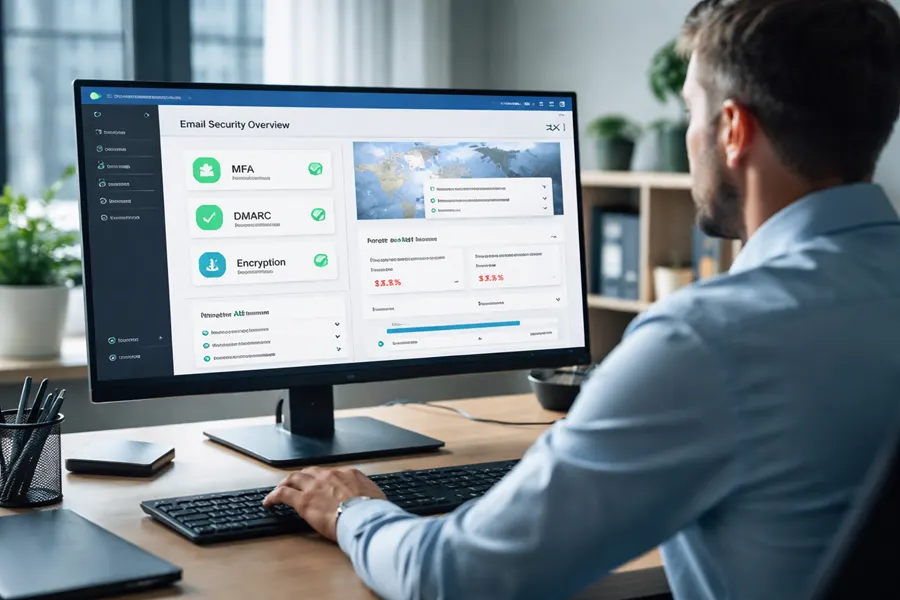
Navigating the complexities of digital communication requires a robust, multi-layered defense. Throughout this guide, we have detailed the essential email security best practices that form the bedrock of a resilient cybersecurity posture. From foundational technical controls like DMARC, SPF, and DKIM that validate sender identity, to the critical human element addressed through comprehensive user training, each component plays a vital role. Implementing strong password policies and mandating Multi-Factor Authentication (MFA) creates formidable barriers against unauthorized access, while advanced encryption and Data Loss Prevention (DLP) systems protect your sensitive information both in transit and at rest.
The journey toward securing your email environment is not a one-time project; it is an ongoing commitment. The effectiveness of these measures hinges on their correct implementation and continuous management. Email filtering, phishing detection, and access control policies are not “set and forget” solutions. They demand constant monitoring, tuning, and adaptation to counter new and evolving threats. An effective incident response plan is not just a document; it’s a practiced, living strategy that ensures your team can act decisively when a breach occurs.
From Theory to Action: The Path Forward
The true power of these email security best practices is realized when they are integrated into a cohesive, managed strategy. Simply checking boxes is not enough. The goal is to build a proactive security culture where technology, policy, and people work in concert.
Here are the most critical takeaways to guide your next steps:
- Layer Your Defenses: Relying on a single control is a significant risk. A successful strategy combines technical safeguards (like encryption and DMARC), administrative policies (like access control), and human awareness (through continuous training).
- Empower Your People: Your employees are your first line of defense. Consistent, engaging, and practical training transforms them from potential targets into vigilant allies who can spot and report suspicious activity.
- Assume a Breach Mentality: Prepare for the worst-case scenario. Develop and regularly test a detailed incident response plan so that your reaction to a security event is swift, organized, and effective, minimizing potential damage.
- Embrace Continuous Improvement: Security is a process, not a destination. Regularly review access logs, audit security configurations, and update policies to reflect new operational needs and emerging threat vectors.
Mastering these concepts is no longer just an IT function; it’s a strategic business imperative. A secure email system protects your financial assets, preserves your brand reputation, maintains customer trust, and ensures you meet critical compliance obligations, whether for HIPAA, government contracts, or other industry standards. It allows your organization to communicate and operate with confidence, knowing its most vital digital channel is protected. For organizations in Michigan, from healthcare providers to manufacturing firms, achieving this level of security requires dedicated expertise and resources that can be challenging to maintain in-house. This is where a strategic partnership becomes invaluable.
Ready to transform your email security from a defensive chore into a strategic advantage? Let the experts at Kraft Business Systems design, implement, and manage a comprehensive security solution tailored to your unique needs. Visit us at Kraft Business Systems to learn how we can protect your organization from today’s most advanced email threats.

